Troubleshooting
Local project folder not linked to remote GitHub repository
If we created a new project using cr8tor cli initiate command, but not used --push argument, we might end up with the new project folder but unlinked to its remote GitHub repository. In this situation, first make sure that the remote GitHub repository exists. If it does not, request from Organisation's administrator a new repository. Administrator needs the project name and environment you intend to use (PROD by default, DEV and TEST are dedicated for Developers). Administrator will run dedicated workflow as explain in Create a new DAR project - GitHub Action Init RO Crate Project.
Then, we need to initiate the git. You can do it, e.g. using your IDE UI or with below git commands.
    cd <my-project-folder>
    git init
    git remote add origin <remote-repository-url>
    git fetch
    git checkout -b my-new-branch
    git add .
    git commit -m "my initial changes"
    git merge origin/main --allow-unrelated-histories
    git push --set-upstream origin my-new-branch
Resolve any merge conflicts between origin/main and your local branch, then push to remote branch and create a new Pull Request to main branch.
Alternative approach is to clone the remote repository first, and then replace relevant files.
Changing files in .github folder
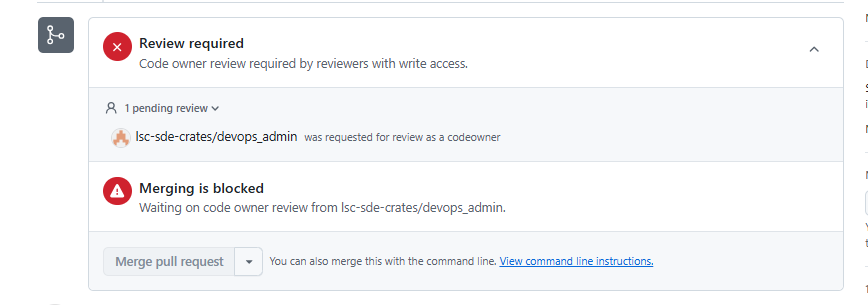
The changes to the files in the .github folder are restricted by the CODEOWNERS feature, which allows repository owners to define individuals or teams responsible for approving changes to specific files. Approval by the devops_admin GitHub team is required.
Databricks API errors thrown by cr8tor
During Validation or WorkflowExecution(Stage-Transfer) jobs microservices and Cr8tor can return errors:
- Databricks API error: User does not have SELECT on <table/schema>,
- Databricks API error: User does not have USE SCHEMA on <schema>
The error means that serviceprincipal specified in the access/access configuration does not have correct permission on the given datasource. Follow this guide for how to set up and assign correct permissions.
Cr8tor Init Ro-Crate fails with 401 client error
During Cr8tor Initiate command (init-project workflow) we use the GitHub Personal Access Token (PAT) to create new DAR project repository and create required GitHub Teams and set up repository settings.
If the token expires, GitHub will return 401 Client Error: Unauthorized for url https://api.github.com/repos/my_organisation/cr8-my_repo
See GitHub PAT token how to recreate the token and update relevant GitHub secrets.