Creating a new DAR project
There are two ways we can create a new Data Access Request (DAR) project:
1.) Cr8tor CLI Initiate command
2.) GitHub Action Init RO-Crate project
Cr8tor CLI Initiate command
Details of cr8tor initiate command can be found here: Initiate command.
Steps:
- Install uv and cr8tor cli following Readme
- Activate virtual environment.
- Change directory using
cdcommand to the place you want to store your new project's folder. - Run
cr8tor initiatecommand providing template (-t) argument.
Example - default, with cookiecutter prompts:
uv run cr8tor initiate -t "https://github.com/lsc-sde-crates/cr8-cookiecutter"
The command will download cookiecutter and start the prompt:
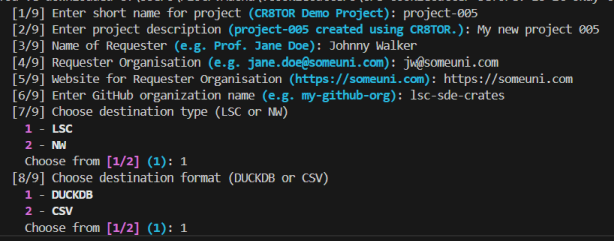
Example - without cookiecutter prompts
uv run cr8tor initiate -t "https://github.com/lsc-sde-crates/cr8-cookiecutter" -n "project4" -org "lsc-sde-crates" -e "DEV"
We can provide the project name as a parameter -n, as well as GitHub organisation -org and target environment -e.
If we add --push argument, the application will try to create the remote repository and GitHub Teams and assign the correct GitHub's roles and permissions.
Warning
--push argument requires GitHub PAT token with the necessary organisation level permission. See minimum PAT token permissions defined here for token permission details. Store the token under GH_TOKEN Environment Variable (expected by gh_rest_api_client module)
On successful run, we should see the new project's folder with sample access, governance and metadata files. If it is not already linked to the remote GitHub repository, link it. If remote does not exist, create/request it following below steps.
Follow update resources to progress with next steps.
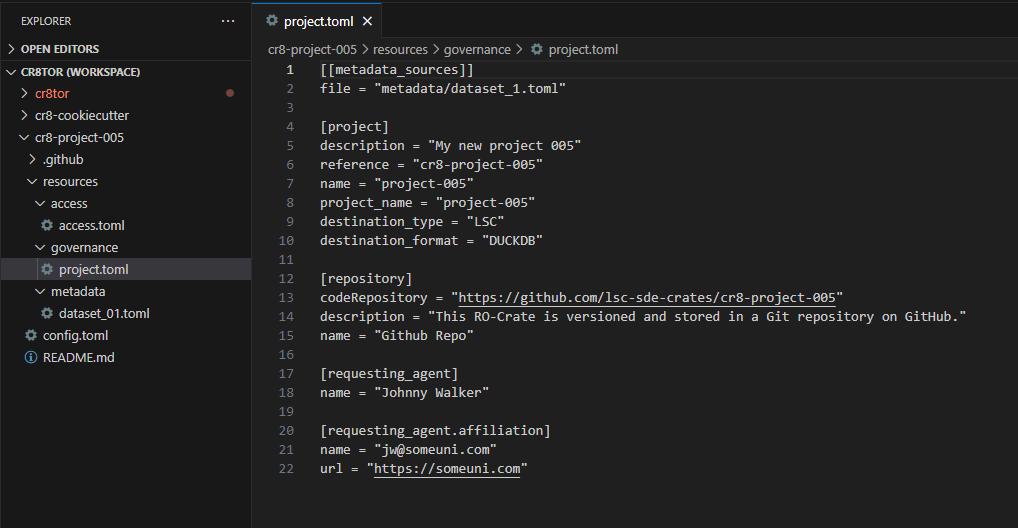
Your local project should be linked to the remote repository. If it is not, follow the steps described in Local project folder not linked to remote GitHub repository
By default, you cannot push directly to the main branch, but you need to create a pull request to it.
GitHub Action Init RO-Crate project
If we do not have a PAT token or we do not want to use Cr8tor CLI Initate command to create for us GitHub's repository, then we can use the GitHub Action which runs the Initiate command for us.
Workflow is located in the main cr8tor repository: Init RO-Crate project
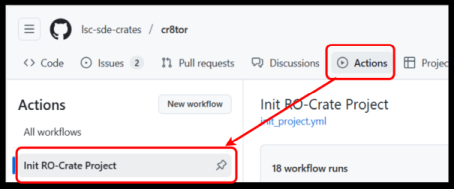
Then, we need to provide the requested project name
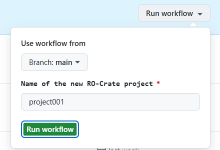
If the project name is e.g. project001, the GitHub repository created will be named cr8-project001.
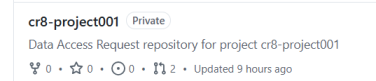
Now, clone the repository to your local machine and update the resources toml files. Follow update resources
By default, you cannot push directly to the main branch, but you need to create a pull request to it.
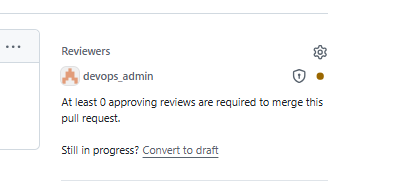
If we notice devops_admin assigned to Reviewers, it means we changed the content of .github folder. It is secured by CODEOWNERS feature. See details in Changing files in .github folder